The Clipper Toolbox
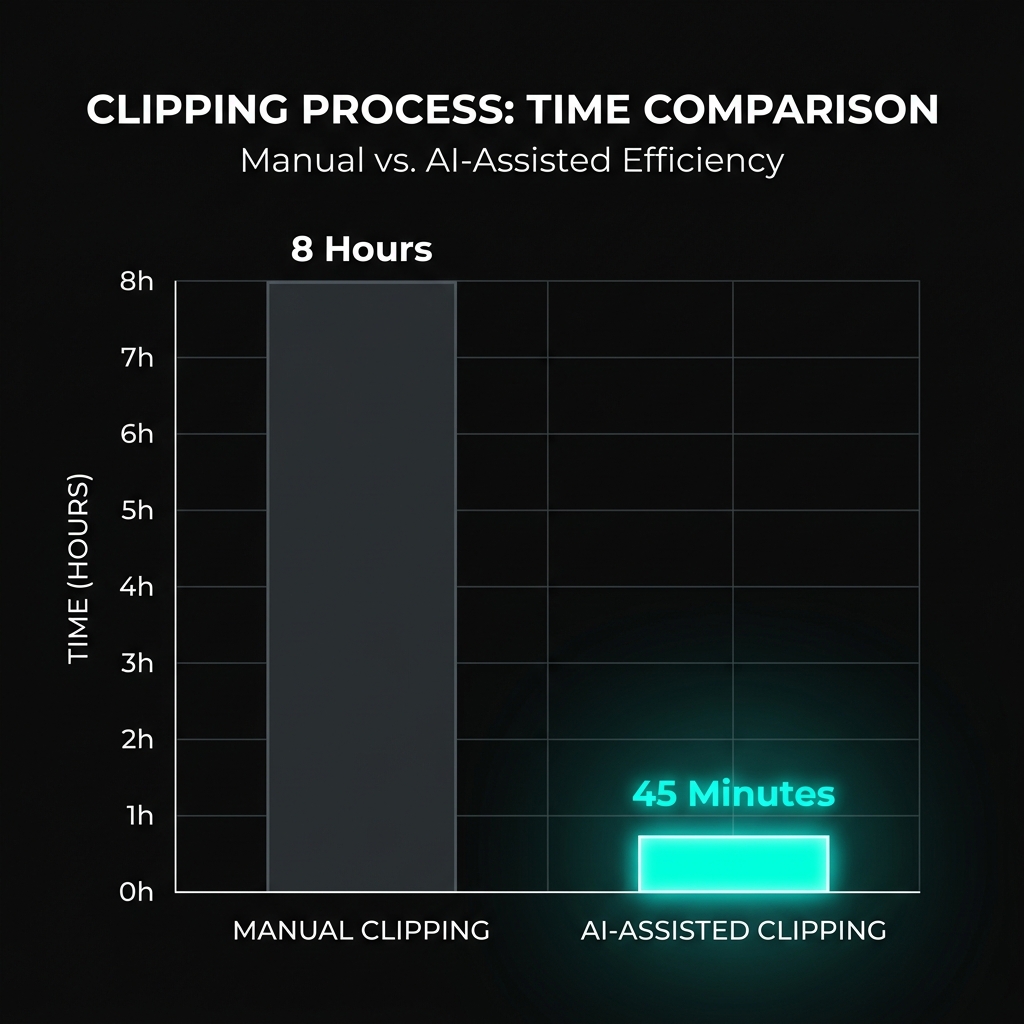
Execution speed is your primary competitive advantage. Professional clippers use a specific stack of tools to turn 10 hours of content into 10 clips in minutes, not hours.

AI-Moment Detectors: Finding the Gold
The most time-consuming part of clipping is watching the long-form content. AI tools now scan transcripts and audio peaks to identify "viral-worthy" moments automatically.
OpusClip / Munch
Best for podcasts and talking-head content. They provide a "virality score" and automatically face-crop 16:9 video into 9:16 layout.
Sizzle / JoinCombo
Optimized for gaming. These tools look for kills, big plays, and "Hype" moments in Twitch or YouTube gaming streams.
Editing Software: Speed vs. Quality
You don't need a $2,000 computer to be a top-tier clipper. Most $10k/month operators started on mobile apps or browser-based editors.
Distribution & Scheduling
Once you have a network of 5+ pages, manual posting becomes a bottleneck. Professionals automate the queue so they can focus on editing.
Metric to Watch: Distribution tools like Metricool, Buffer, or Later allow you to schedule one clip across TikTok, Reels, and Shorts simultaneously.
AI-Captions: The Retention Variable
Dynamic, word-by-word captions increase watch time by up to 25%. If your captions are boring, your retention graph will suffer.
- Submagic: The premium choice for viral-style captions with automatic emojis and keyword highlights.
- CapCut Auto-Captions: Free, fast, and surprisingly accurate. Best for clippers on a budget.
- Alexander (AI Caption Plugin): Used by Premiere Pro users to create native-looking TikTok captions in seconds.
Tools make the work easier, but understanding the career path makes the work profitable. Chapter 10 covers the transition from clipper to founder.